

Data & Analytics Resource Centre
Project Overview
Ever struggled with learning how to navigate a website or app? Oftentimes, the answer is just a click away, but it’s not obvious at first. I developed a resource centre to help employees find support on the Customer 360, a data platform used by frontline teams to perform market research analytics to make everyday business decisions and target clients in marketing campaigns.
Problem Statement
Employees felt they weren’t getting the onboarding support they need to perform their jobs. They often have to rely on secondhand training from other peers or consult a 56-page training document that may not be available in their local language (e.g French, Spanish). This created friction for the frontline officers to access the data platform and meet their business objectives or company goals in the absence of adequate training.
Goal Statement
Build a solution that will enable employees to learn and acquire the skills they need to perform at their best and meet market demand.
Role & Responsibilities
Product Designer responsible for User Research, Wireframing, Prototyping, and Content Creation
Duration
July 2025 - Present
Understanding the User
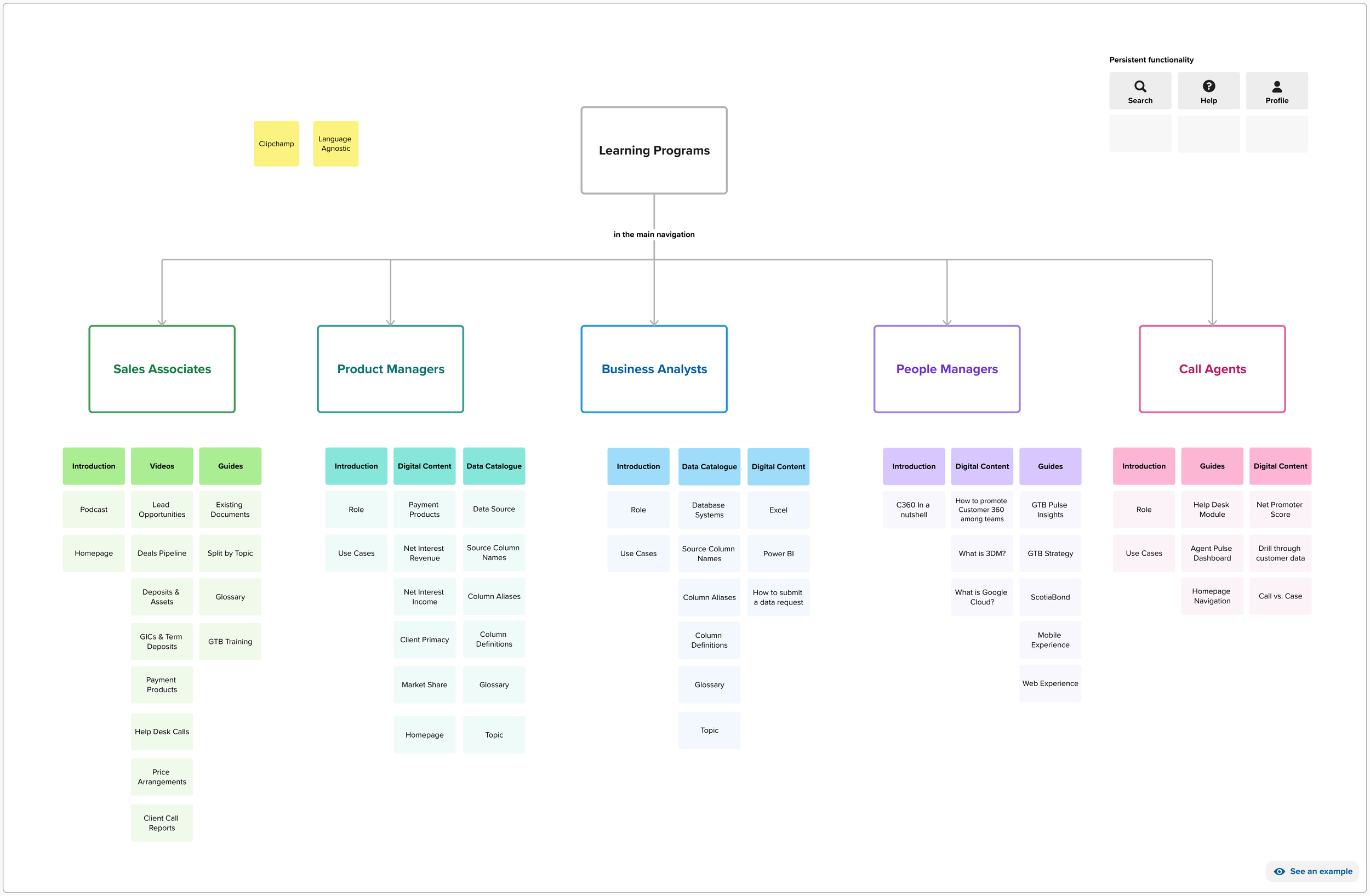
User Persona: Business Units Supported and Common Areas of Learning
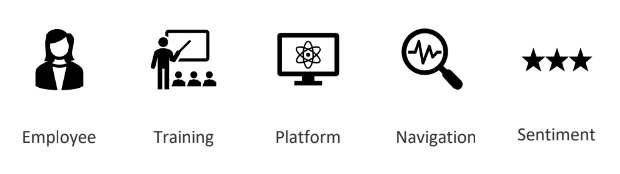
Scotiabank: Employee Onboarding Lifecycle
Starting the Design
Comparing with other public learning sites such as LinkedIn Learning, Salesforce, ServiceNow, and Microsoft along with consulting Scotiabank’s Learning team, I began to map out the different areas of learning and how employees can use the website to stay informed of the latest news around Scotiabank and data platform release updates.
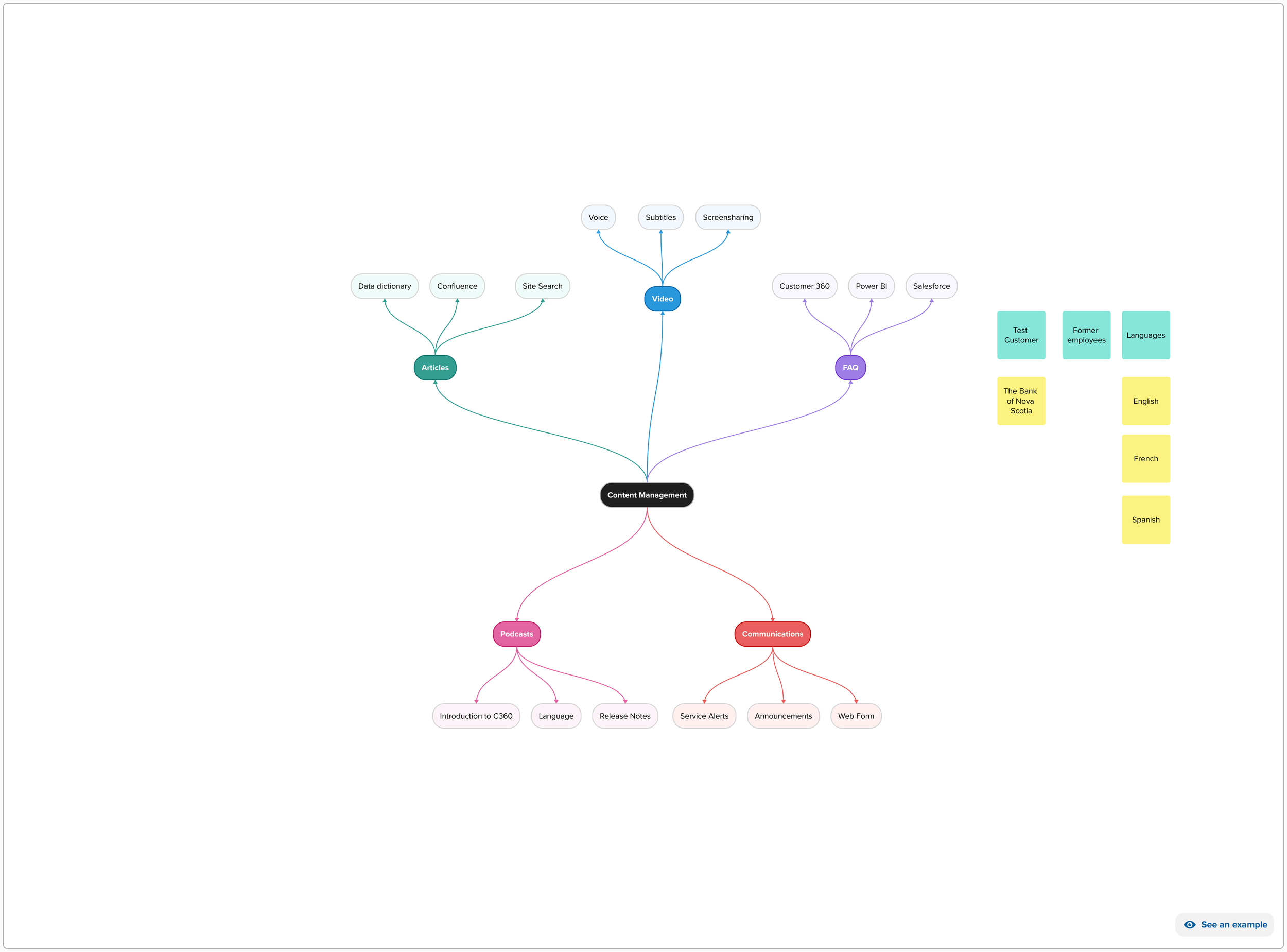
Mind Map: Understanding the Different Areas of Learning and Support
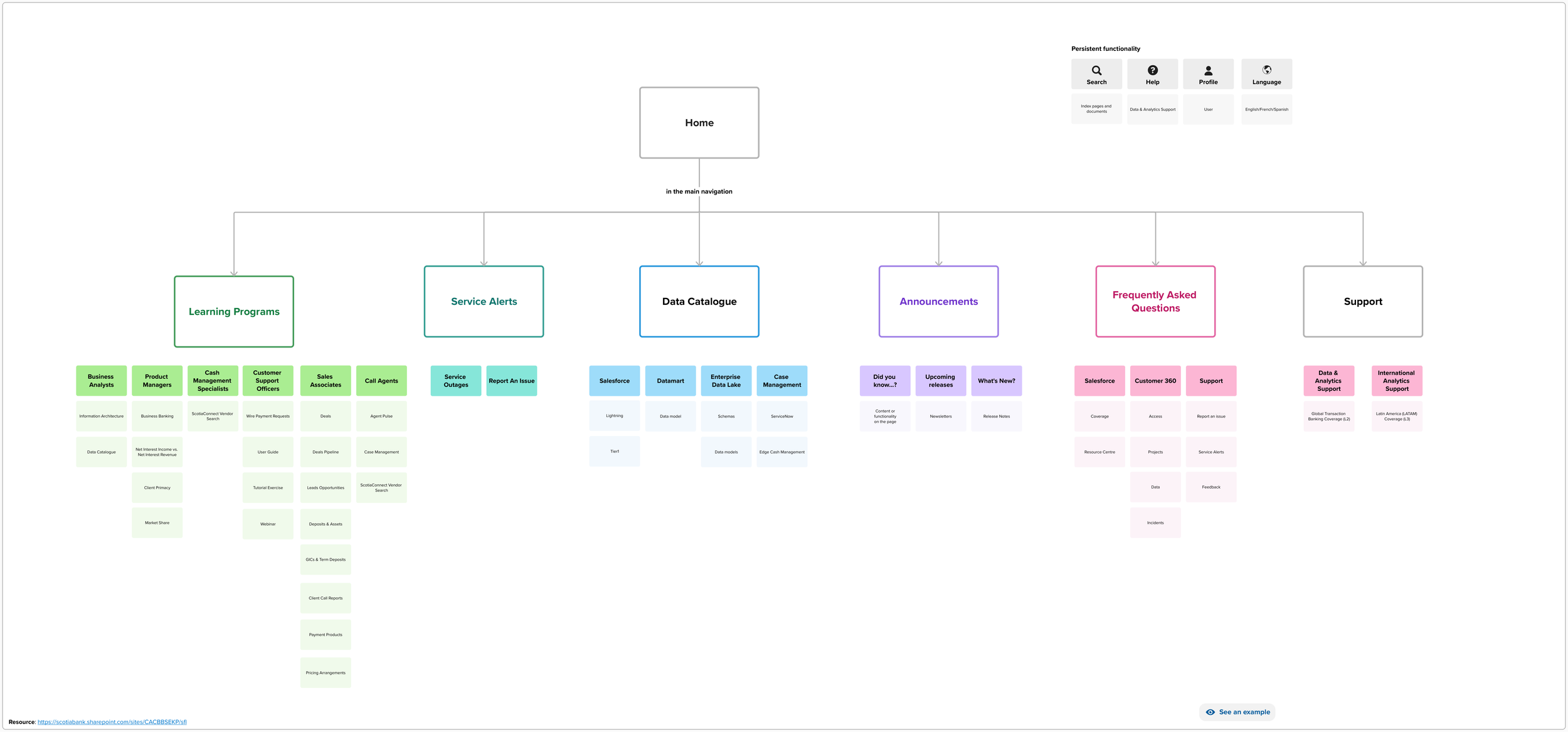
Information Architecture: Resource Centre Layout
Using the information architecture and existing training guides used by bank employees, I was able to build out the sitemap and take advantage of the different features within Microsoft SharePoint. SharePoint was chosen due to its ease of access, employee familiarity, and language options to reach marginalized groups operating in other areas of the world.
Digital Snapshots
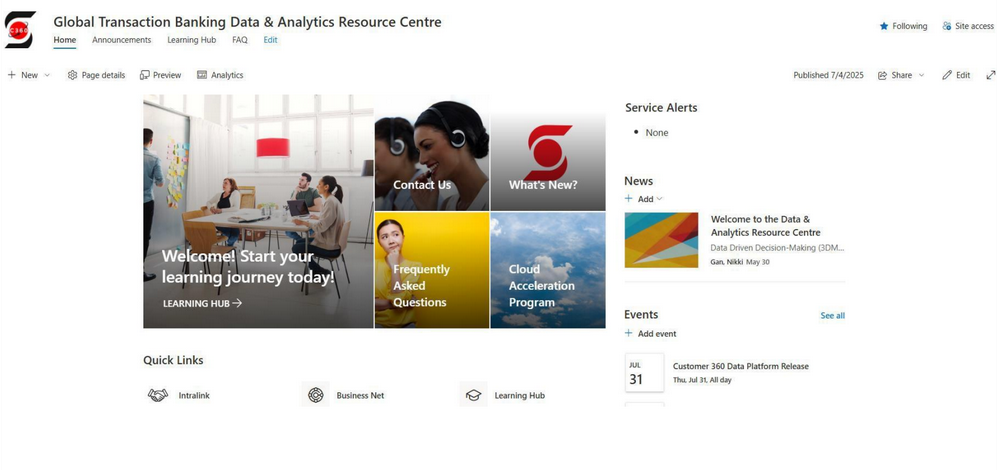
Resource Centre: Homepage
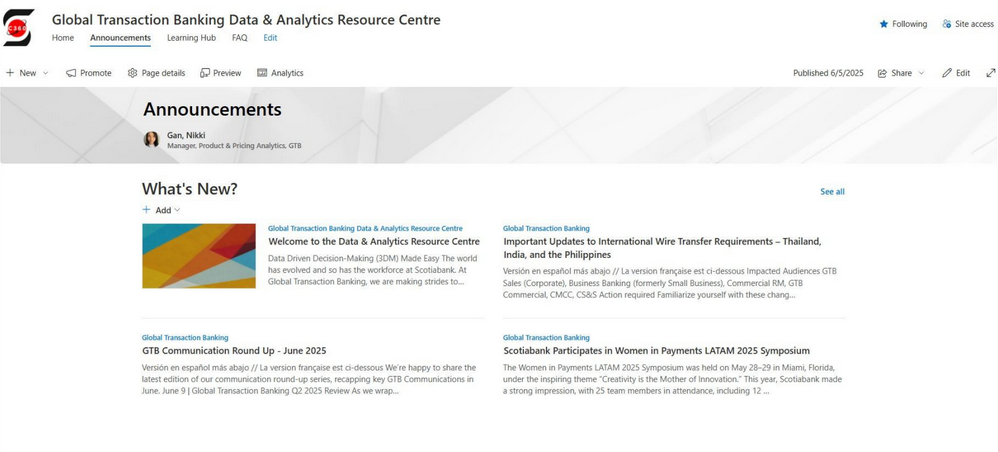
Resource Centre: Announcements
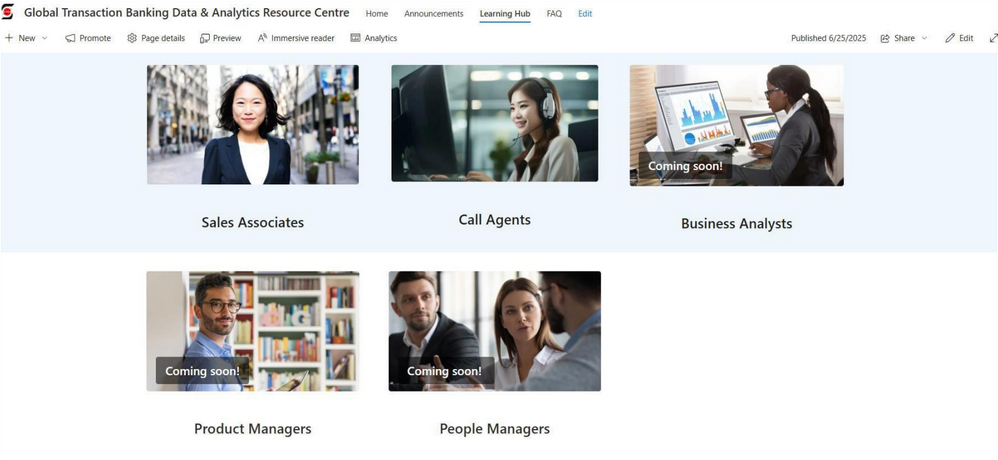
Resource Centre: Learning Programs by Job Function
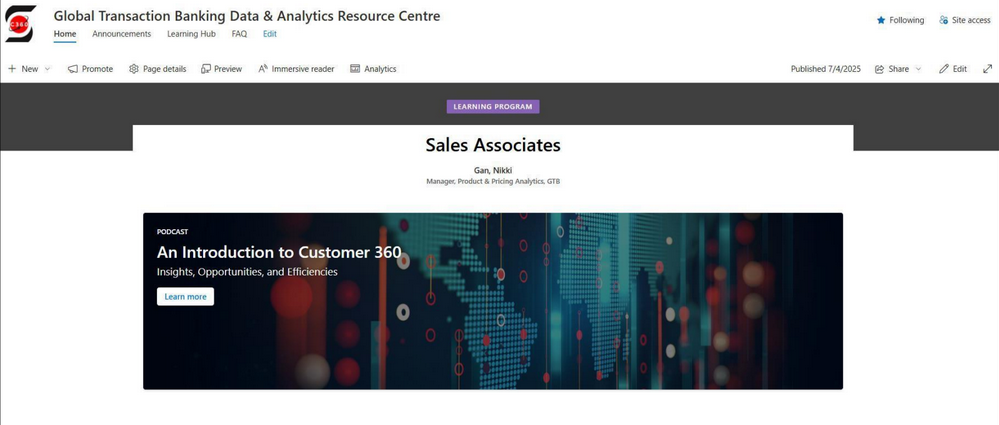
Resource Centre: Podcast for New Sales Associates
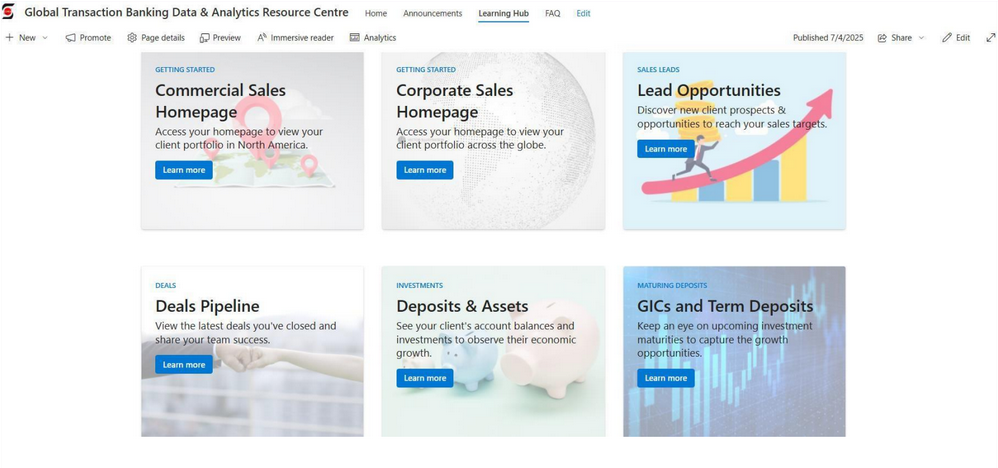
Resource Centre: Digital Content by Business Topic
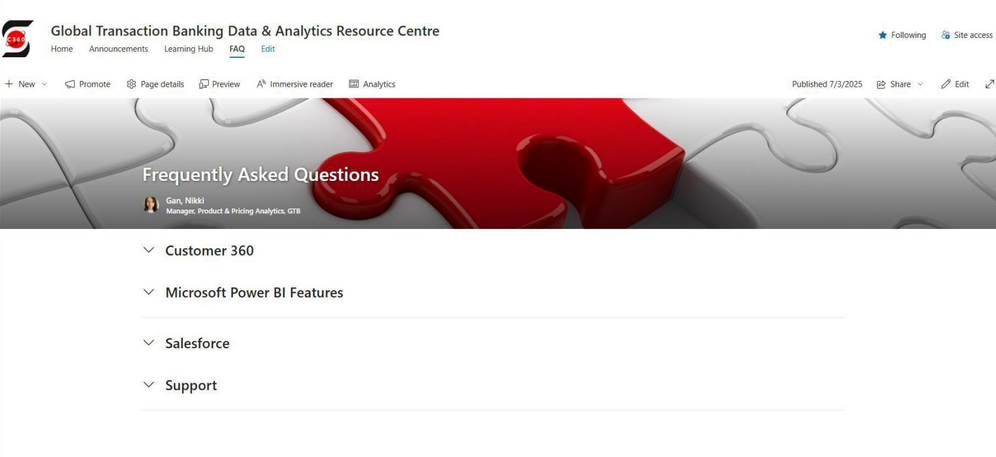
Resource Centre: Frequently Asked Questions by Platform or Topic
Usability Study
I organized user interviews with 6 employees (3 Sales Associates, 1 Business Analyst, 2 Call Centre Managers) to understand how they navigate the site and where changes can be made to access the material they need. Some key themes were:
Transparent contact information to reach support in data & analytics
Confusion on where the learning content was in the Learning Hub
Display trending content and integrate with other sites in SharePoint
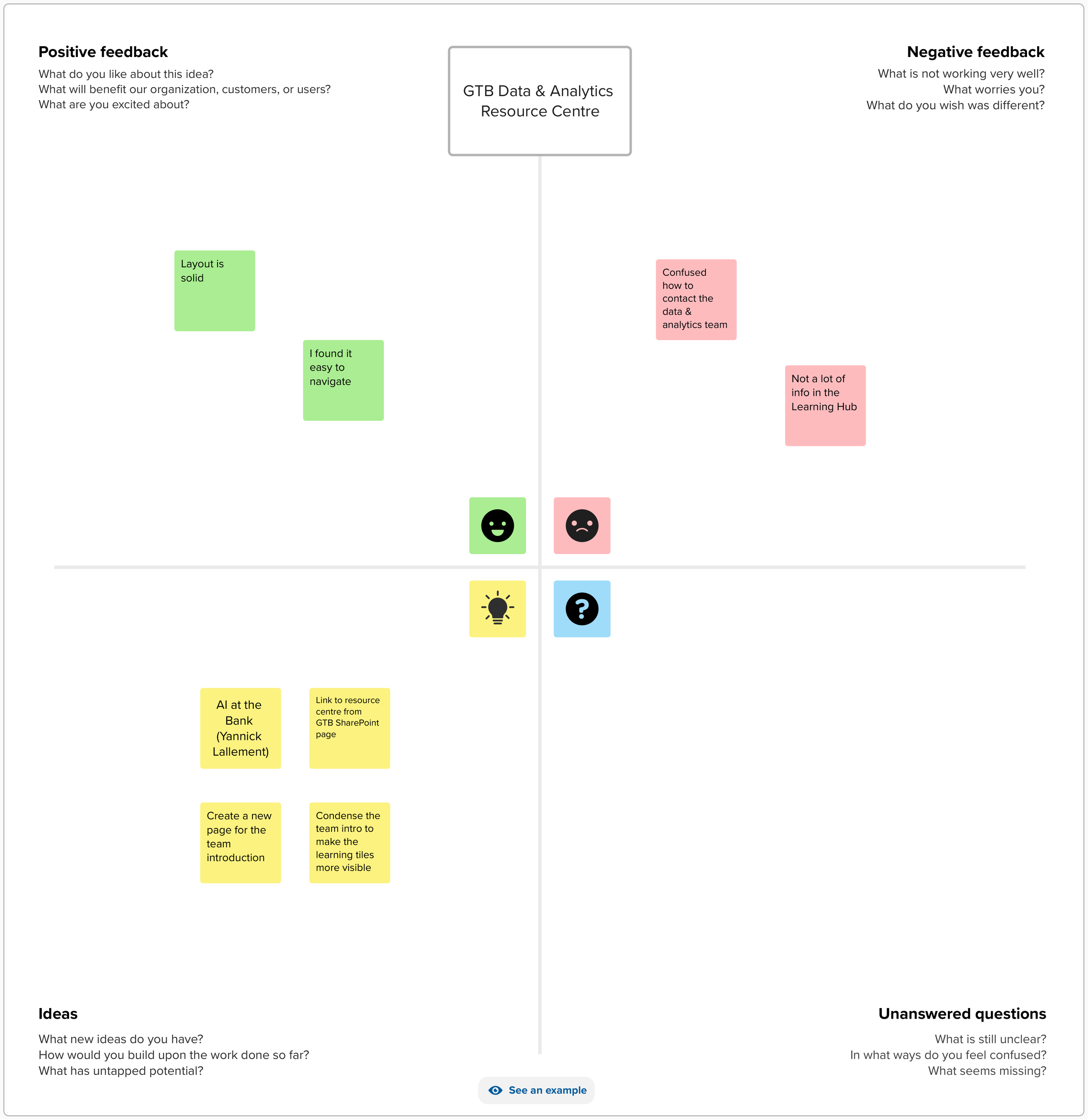
User Feedback: Themes Expressed by Employees During Pilot Launch
Next Steps
Although a lot of progress has been made, there is a trend towards skill-based training and gamifying the content to engage the employees in learning. Many gaps in learning continue to exist largely due to antiquated content in the existing training guides. Creating video content for marginalized groups and rewarding employees for completing their training will be key to reinforce the learning and make it a key part of the employee onboarding process.
